Monday, April 28, 2025

How to Download Amazon Prime Movies to View Offline

How to Download Amazon Prime Movies to View Offline

“If I buy a movie on Amazon Prime, can I download it?” While Amazon Prime has provided quite a large number of movies and shows worldwide, there are cases where you want to watch Amazon Prime movies offline. For example, you might want to watch an Amazon Prime movie on a long flight or in a poor network connection. 

Therefore, you might be wondering: Can I download a rented movie on Amazon Prime? The answer is yes. You could download a movie from Amazon Prime for offline viewing in different ways. Actually, you could even download Amazon Prime videos to MP4 for unlimited playback on various media players and devices. This post will show you how to download a movie on Amazon Prime for offline viewing with different tools. 
  • Part 1: What Are the Amazon Prime Video Download Limits?
  • Part 2: Download Amazon Prime Movies Within the App
  • Part 3: Download Any Amazon Movies with CleverGet Amazon Downloader
  • Conclusion

Part 1: What Are the Amazon Prime Video Download Limits?

To download a movie from Amazon Prime for offline viewing, the Amazon Prime Video app would be of great help since it offers a direct download feature to download movies from Amazon Prime. But before you download movies from Amazon Prime Video, you need to learn the limitations of the Amazon Prime Video download feature, as listed below:

  • Total download limit: You could download only 25 titles from Amazon Prime Video at the same time on all devices that have the same Amazon account logged in. 
  • Titles available for download are limited: Not all titles on the Amazon Prime Video app can be downloaded. Only a few selected titles on the Amazon Prime Video app with a download icon could be downloaded. 
  • Title download expires in a certain period: Most Amazon Prime video downloads will expire after 30 days. Once you start playing an Amazon Prime download, you get only 48 hours to complete watching it before it expires. You could re-download all expired titles. 
  • Amazon Prime Video downloads could be played and viewed on the Prime app only: The titles you downloaded from the Amazon Prime Video app are DRM protected and could only be played back within the Prime app. You can’t play them on other media players. 
  • Region limitation: It should be noted that certain titles on Amazon Prime are only downloadable and viewable in a specific region. Once you travel to other regions, the Amazon Prime video downloads will not be accessible. 
  • Simultaneous download limit: You could download the same title on the Amazon Prime Video app on up to 2 devices simultaneously. 

Part 2: Download Amazon Prime Movies Within the App

If you have purchased or rented a movie on Amazon Prime, you could then easily download the movie from the Amazon Prime Video app in a few simple clicks. The steps below will show you how to download a movie from the Amazon Prime Video app directly: 
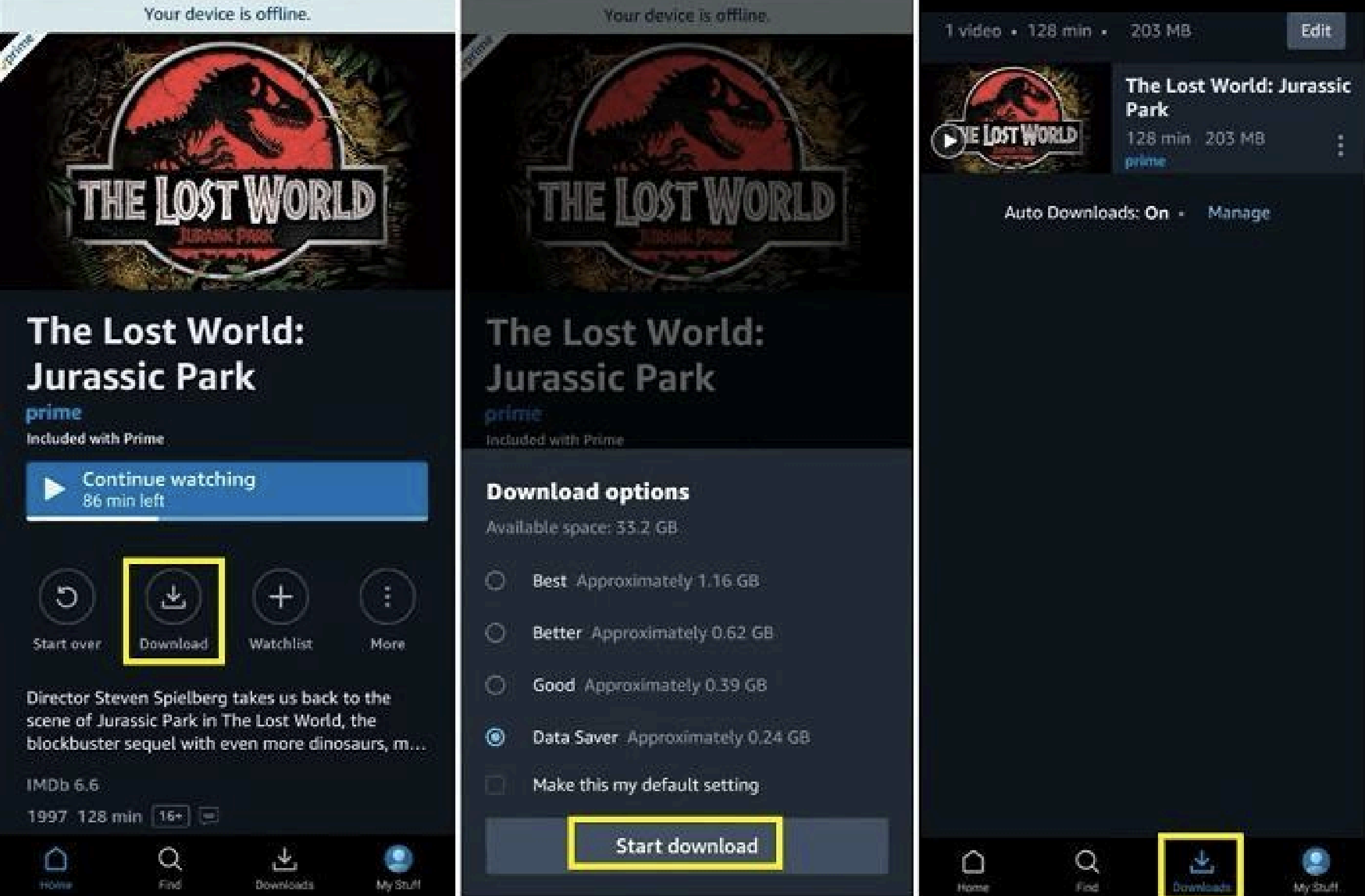
  1. Kick off the Amazon Prime Video app and then log in with your account. 
  2. Open the detail page of the target video you have already purchased or rented and want to download. 
  3. Click the “Download” icon on the video detail page. 
  4. On the follow-up “Download option” window, choose the download video quality. 
  5. Then click the “Start Download” button to start downloading the desired movie from the Amazon Prime Video app. 
  6. Once the download completes, you can view all downloaded titles from the “Downloads” tab. 

By following the above steps, you could easily download movies and TV shows from the Amazon Prime Video app for offline viewing. Just keep in mind that there are quite a few limitations of the Amazon Prime Video download feature, as mentioned above. 

Part 3: Download Any Amazon Movies with CleverGet Amazon Downloader

If you want to download movies from Amazon Prime to watch Amazon Prime movies offline without any limit, you need to turn to 3rd-party Amazon Prime video downloader tools. CleverGet Amazon Downloader is a professional Amazon Prime video downloader program that can batch download movies and TV shows from Amazon Prime for unlimited offline viewing. As a professional Amazon Prime video downloader, it could bypass the DRM protection from Amazon Prime movies and TV shows, and save Amazon Prime videos to MP4 files at HD quality. It even allows you to freely select subtitles and audio tracks for a friendlier offline viewing experience. The guide below will show you how to download any Amazon Prime movie with CleverGet Amazon Downloader in detail. 

Step 1: Set the download folder
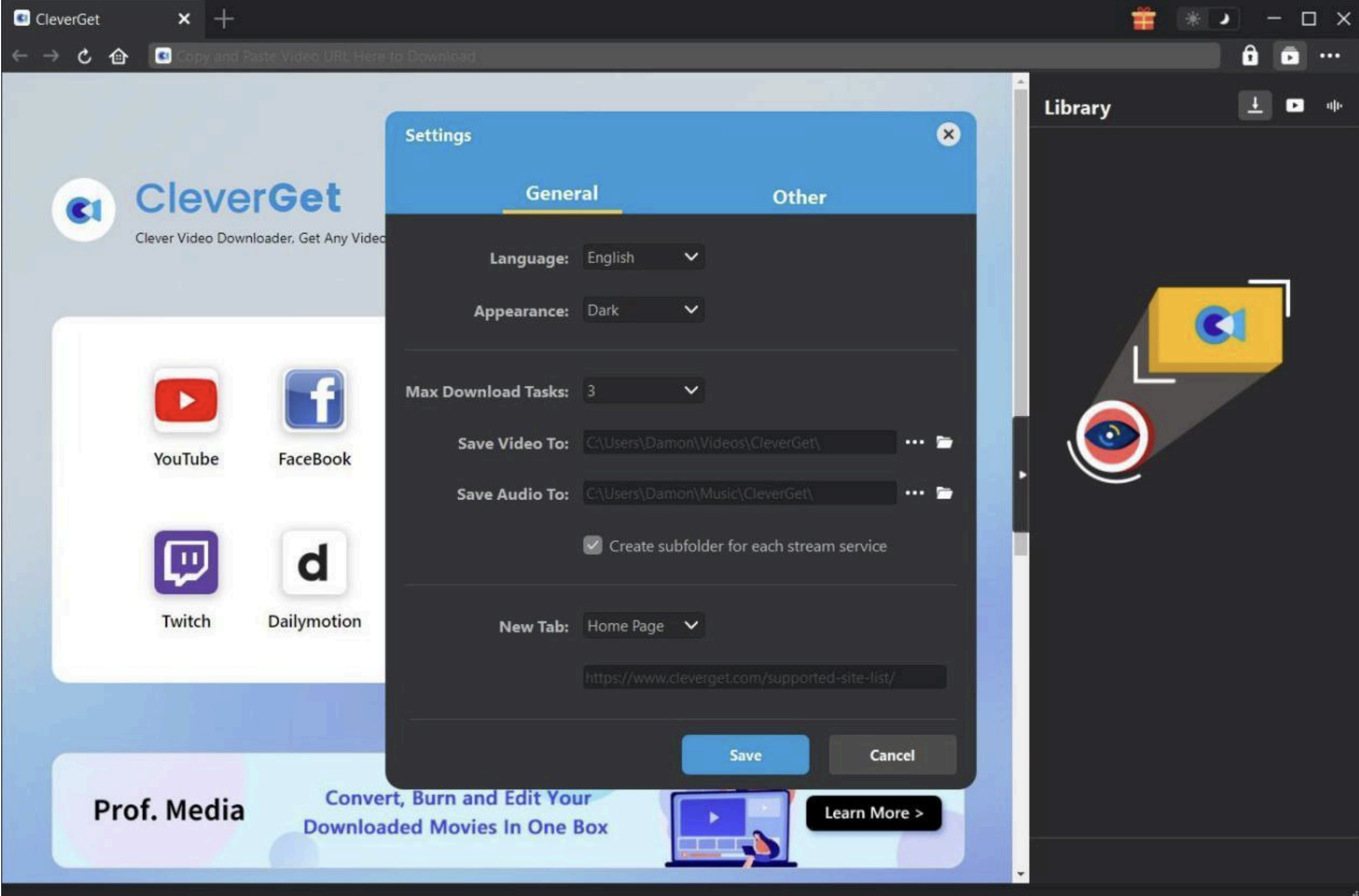
Download, install, and kick off CleverGet on your PC or Mac. Click the 3-dot icon at the top-right corner and then choose the “Settings” option to set the download directory under the “General > Save Video To” box. 

Step 2: Play back the target Amazon Prime video
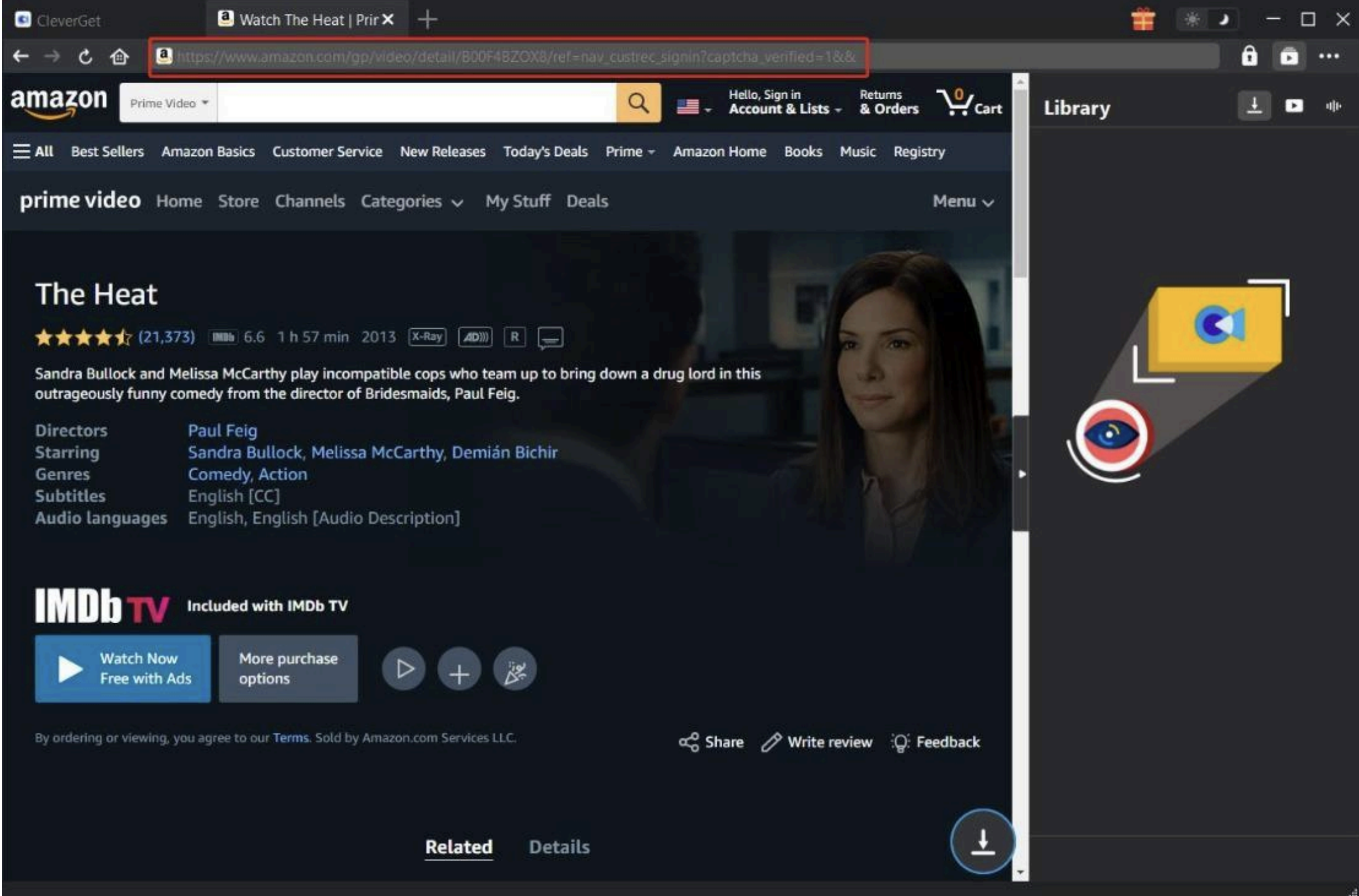
Open the Amazon website within CleverGet, and log in with your account. Open the detail page of the target video you want to download, and then play the target movie back. After that, click the round icon to start parsing the target Amazon Prime movie page. 

Step 3: Choose download options
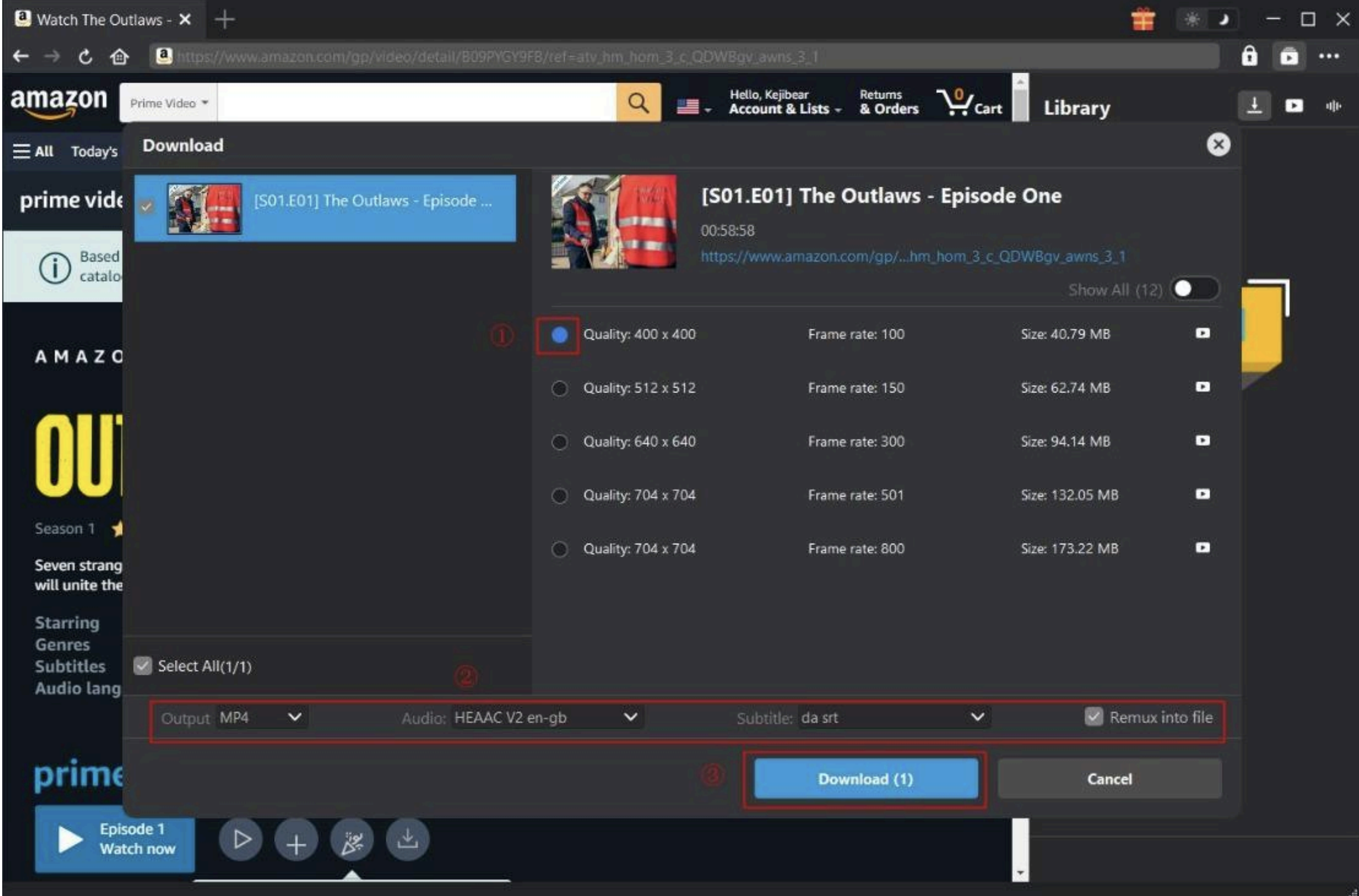
Once CleverGet completes parsing the target video, it will display all detected download options. You then need to choose the download option, set output format, select audio tracks and subtitles, and check the “Remux into file” option if you want to pack subtitles into the output file. 

Step 4: Start downloading Amazon Prime videos
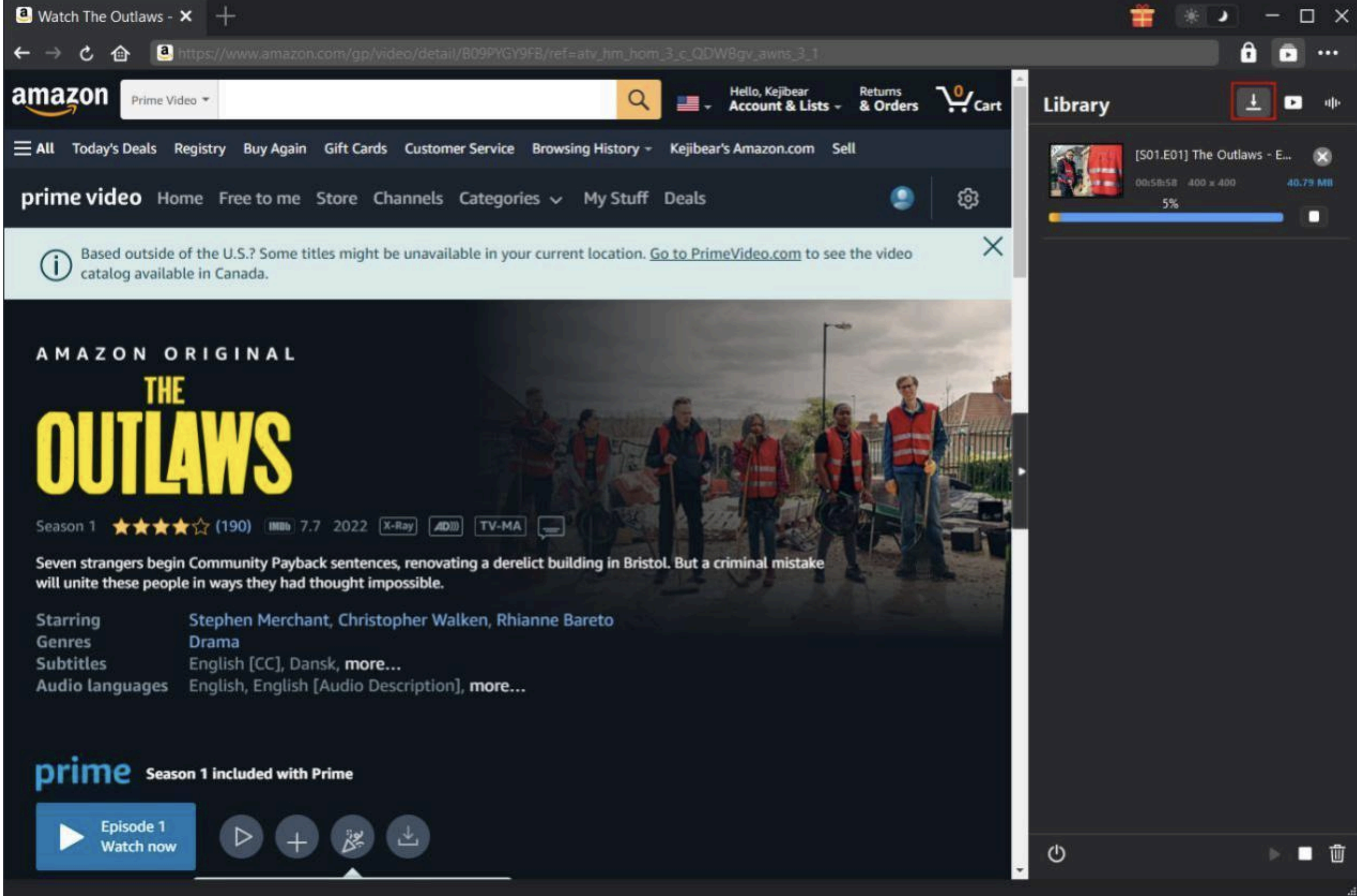
 

After choosing what to download, click the “Download” button to start downloading Amazon Prime movies. You could then view the entire downloading process on the right sidebar. Wait for the download to complete. Once the download completes, you can then freely play back downloaded Amazon Prime videos on any media player at will without any limit. 

Conclusion

Here in this guide, we have listed detailed steps on how to download a movie on the Amazon Prime Video app and its limitations. To avoid or bypass all these limitations of the video download feature within the Amazon Prime Video app, you need to make use of a 3rd-party Amazon video downloader program – CleverGet Amazon Downloader. This Amazon downloader software could remove ads from Amazon Prime, download Amazon Prime movies and TV shows to MP4 at HD quality in batch, and allow you to watch Amazon Prime video downloads on any MP4/MKV compatible media players and devices offline.

The post How to Download Amazon Prime Movies to View Offline appeared first on Trickbd.com.


আপনার স্মার্টফোন দিনে ২৪ ঘণ্টা আপনার কথা শুনছে? আগ্রহ বুঝে কিভাবে ফাঁদে ফেলছে!

আপনার স্মার্টফোন দিনে ২৪ ঘণ্টা আপনার কথা শুনছে? আগ্রহ বুঝে কিভাবে ফাঁদে ফেলছে!

Concept: Goldsmith production | Writing: Anamika | Design: Imran

The post আপনার স্মার্টফোন দিনে ২৪ ঘণ্টা আপনার কথা শুনছে? আগ্রহ বুঝে কিভাবে ফাঁদে ফেলছে! appeared first on Trickbd.com.


Sunday, April 27, 2025

Winlator কি Exagear এর আপডেট ভার্সন?

Winlator কি Exagear এর আপডেট ভার্সন?

একসময় আমরা উইন্ডোজ এর সফটওয়্যার গুলো Android ফোনে রান করার জন্যে Exagear Emulator ব্যবহার করতাম। যেটাতে ৩২বিট এর সফটওয়্যার গুলো খুব সহজেই রান করা যেতো।

এই Exagear নিয়ে আমার ট্রিকবিডিতে অনেক পোস্ট রয়েছে, আপনারা সেগুলো চেক করতে পারেন যদি জানার ইচ্ছা থাকে।আমি নিজেও পিজিক্যাল কিবোর্ড এর টাইপিং শিখেছিলাম Typingmaster Pro সফটওয়্যার দিয়ে এবং সেই সফটওয়ার টি চালিয়েছিলাম Android ফোনে।

তবে দুঃখের বিষয় হলো, Exagear এর Developer রা এই এপ্লিকেশনটির কাজ অনেক আগেই অফ করে দেয়, এবং এরপর নানা দেশের Developer রা Exagear কে বিভিন্ন ভাবে Modify করে। যার কারণে Internet এ Exagear এর নানান ভার্সন পাওয়া যায় Easy থেকে শুরু করে অনেক Advanced লেভেলের।

নিচে থেকে Exagear Emulator নিয়ে করা আমার পোস্ট গুলো পড়তে পারেন।

  1. Android ফোনে ইন্সটল করুন TypingMaster Pro PC Version [Exagear Tutorial]
  2. [For Exagear Users] Exagear কি? কিভাবে Exagear এর Wallpaper & Theme পরিবর্তন করবেন
  3. MS Office 2010 ইন্সটল করুন আপনার Android ফোনে


Winlator কি?

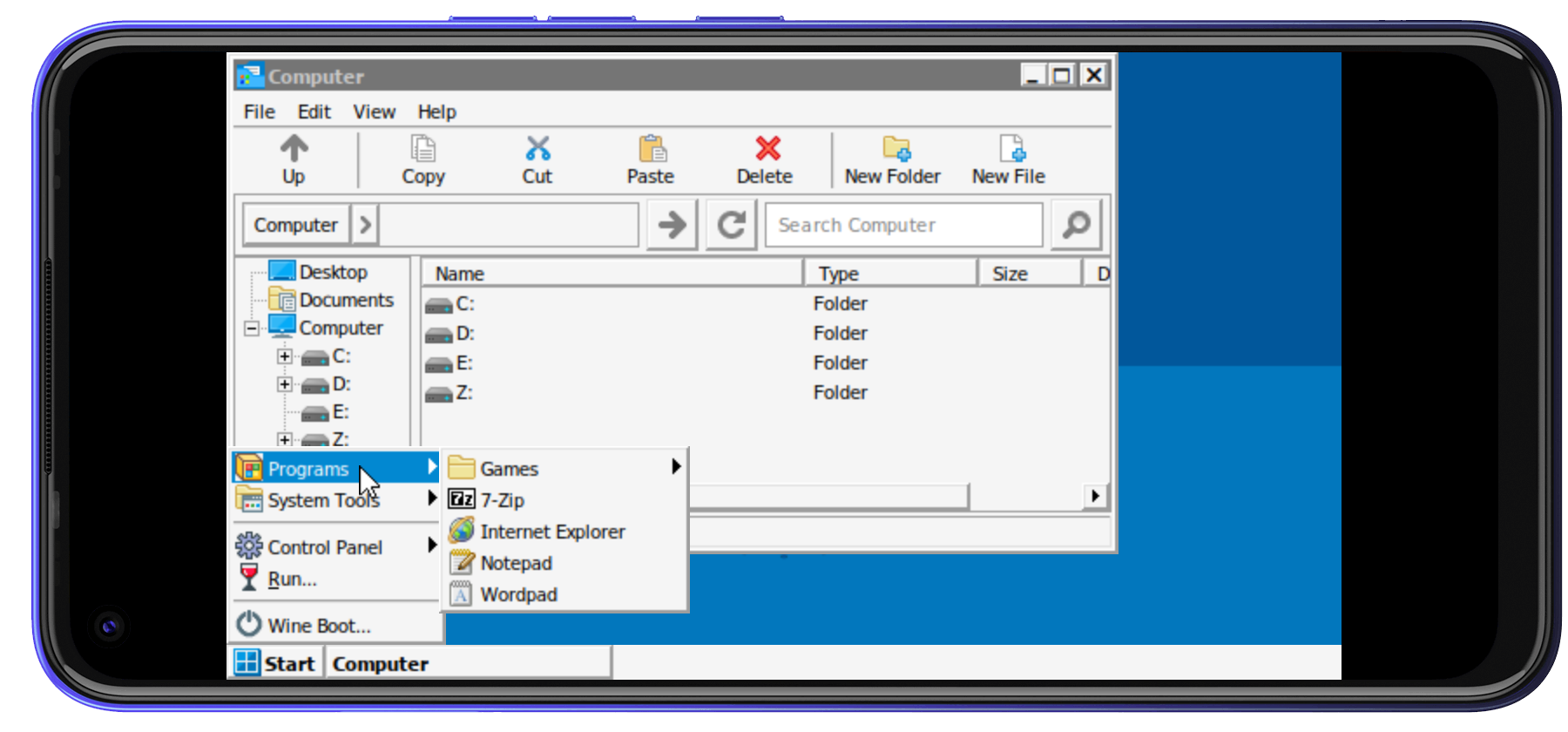
Winlator হলো এমন একটি Emulator যার মাধ্যমে Windows এর ৩২/৬৪বিট সফটওয়্যার গুলো রান করা যায়। যেটি Wine এবং Box86/Box64 এর কম্বিনেশনে তৈরি।

Winlator এর Extended ফিচার গুলো-

  • ১. Winlator এ ৬৪বিট সফটওয়্যার গুলোও রান করা যায়, যেটা Exagear এর করা যেত না।
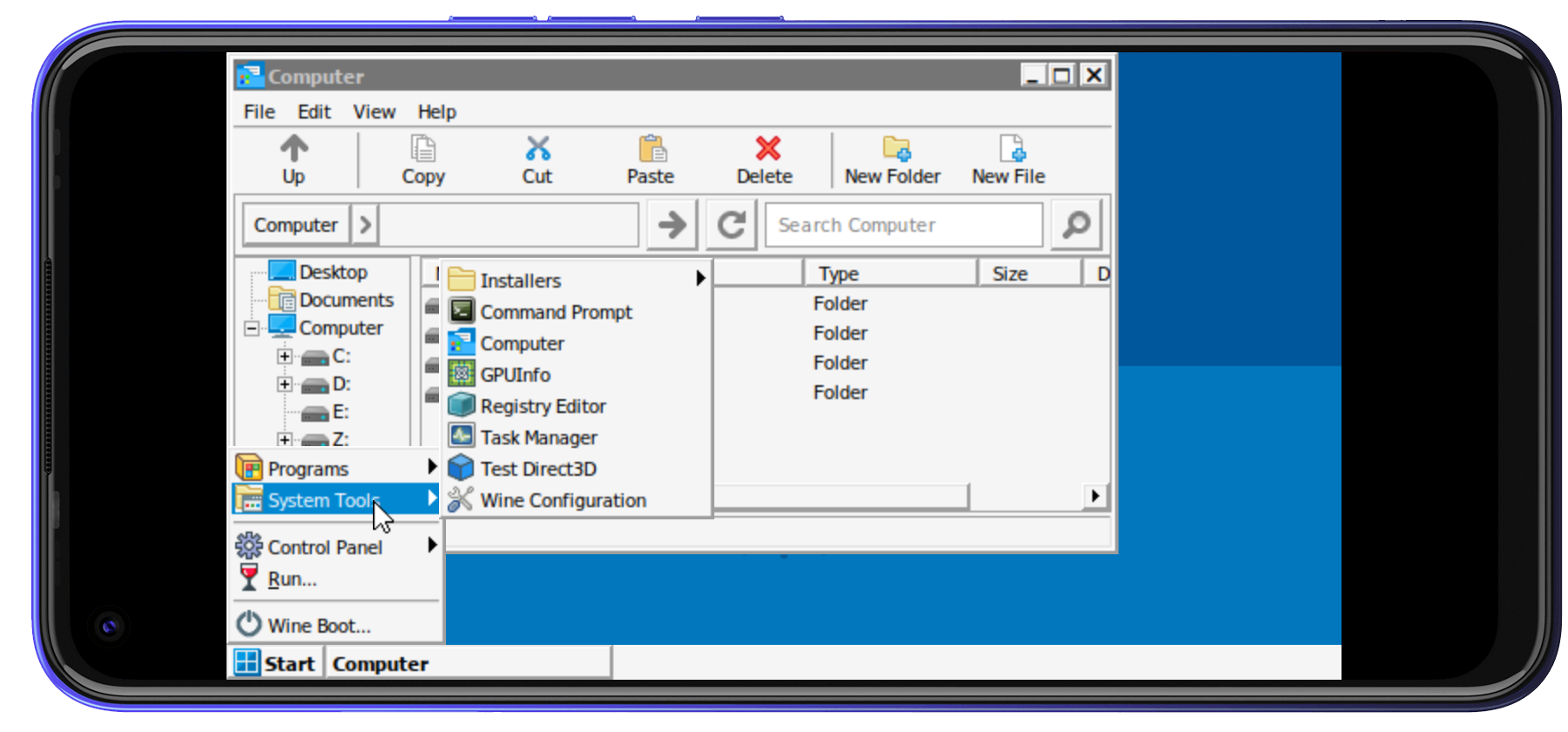
  • ২. Winlator বিল্ট -ইন অনেক এপ্লিকেশন দেয়া আছে। যেমন: 7zip, Task Manager, Internet explorer ইত্যাদি।
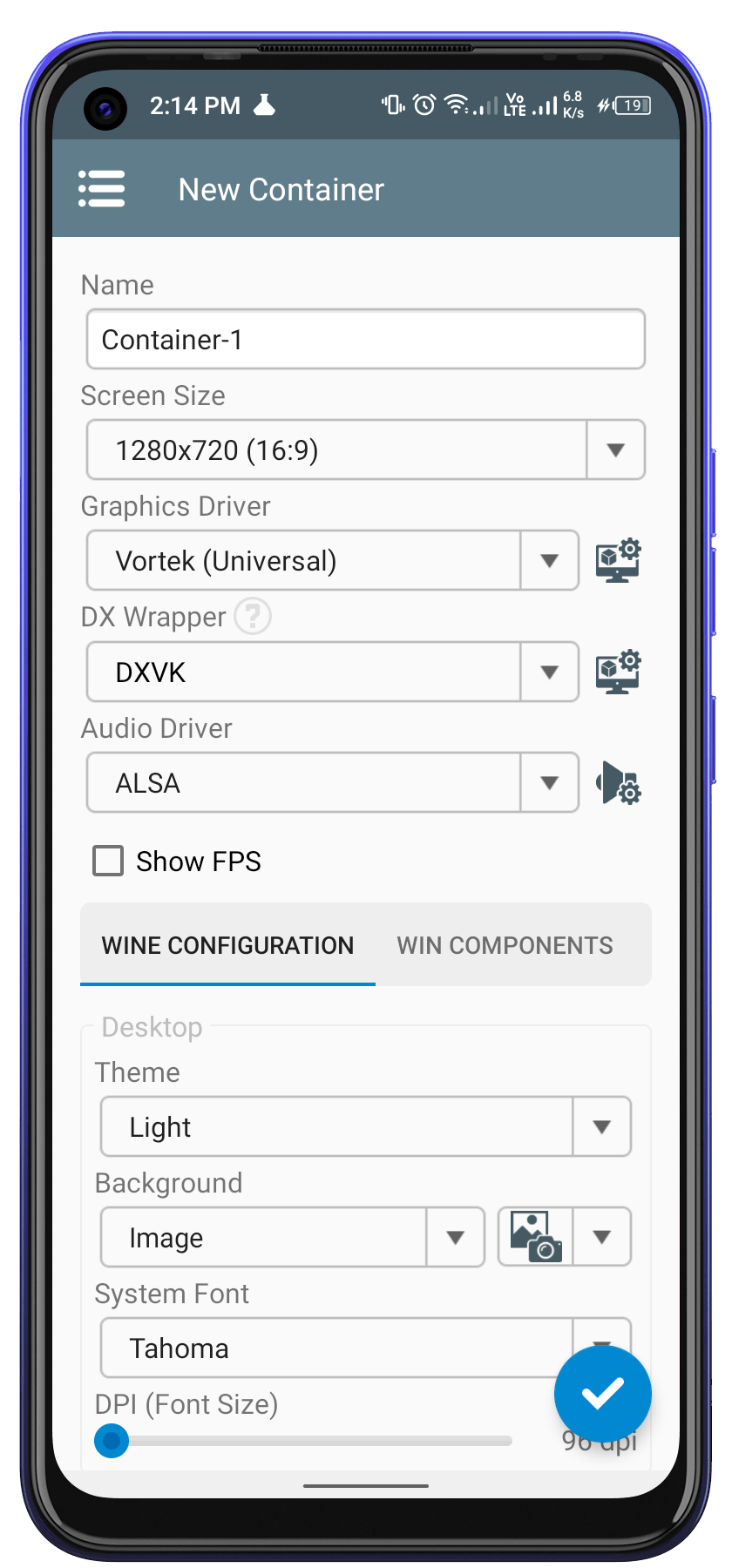
  • ৩. Winlator এর কনফিগারেশন অনেক সহজেই Container ক্রিয়েট করার সময় করা যায়।
  • ৪. বিভিন্ন Graphics ব্যবহার করা যায়, পছন্দমত ব্যাকগ্রাউন্ড, ফন্ট এবং ডিরেক্টরি সেট করা যায়।

Download Winlator from Official site


Winlator vs Exagear

আমি Winlator অনেক টেস্ট করে দেখলাম। যা বুঝতে পারলাম Winlator কে গেমিং এর জন্যে ফোকাস করে Develop করা হয়েছে। সাধারণত যাদের ফোনের প্রসেসর এবং জিপিউ ভালো তারা পিসি Old গেইম গুলো Winlator এর মাধ্যমে খেলতে পারেন।

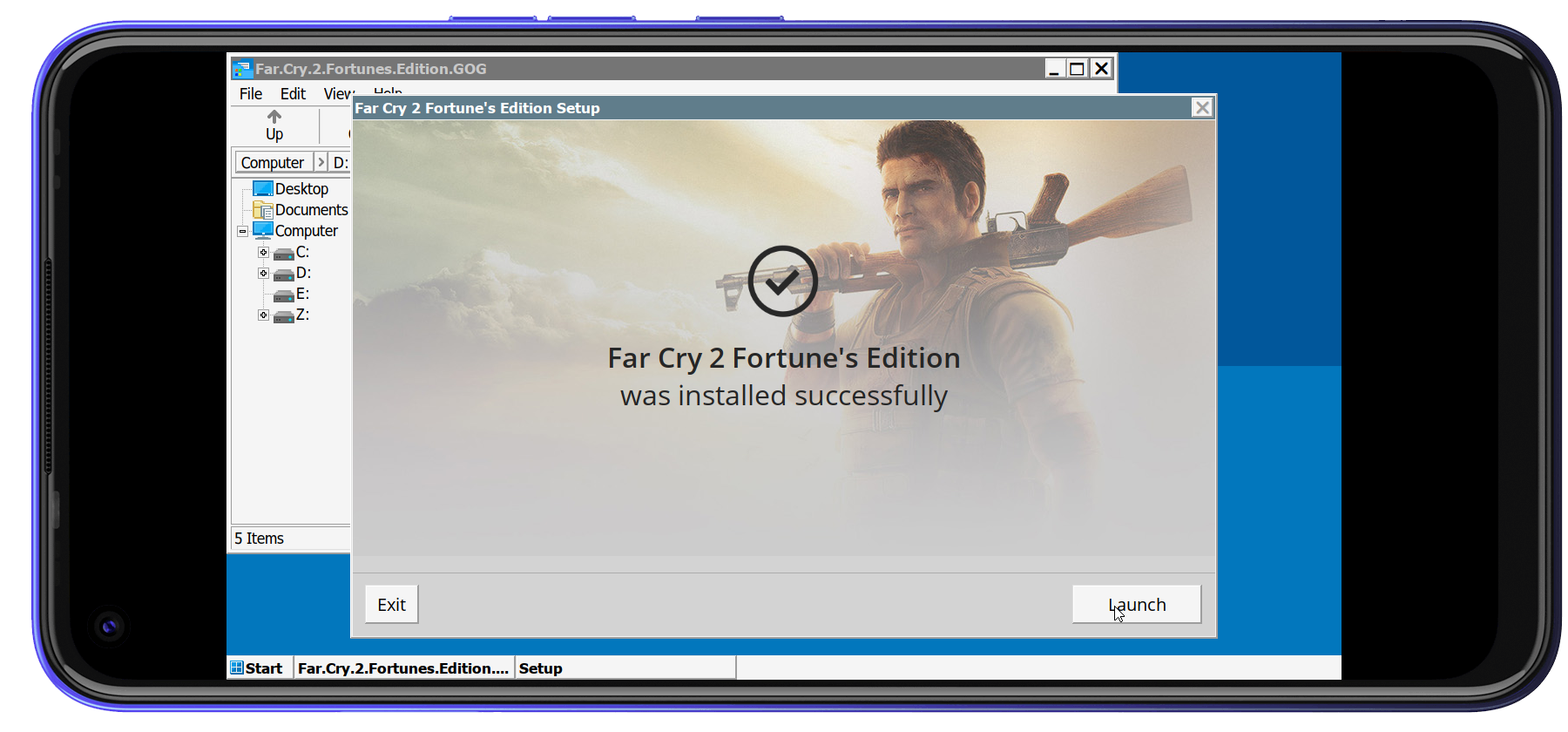
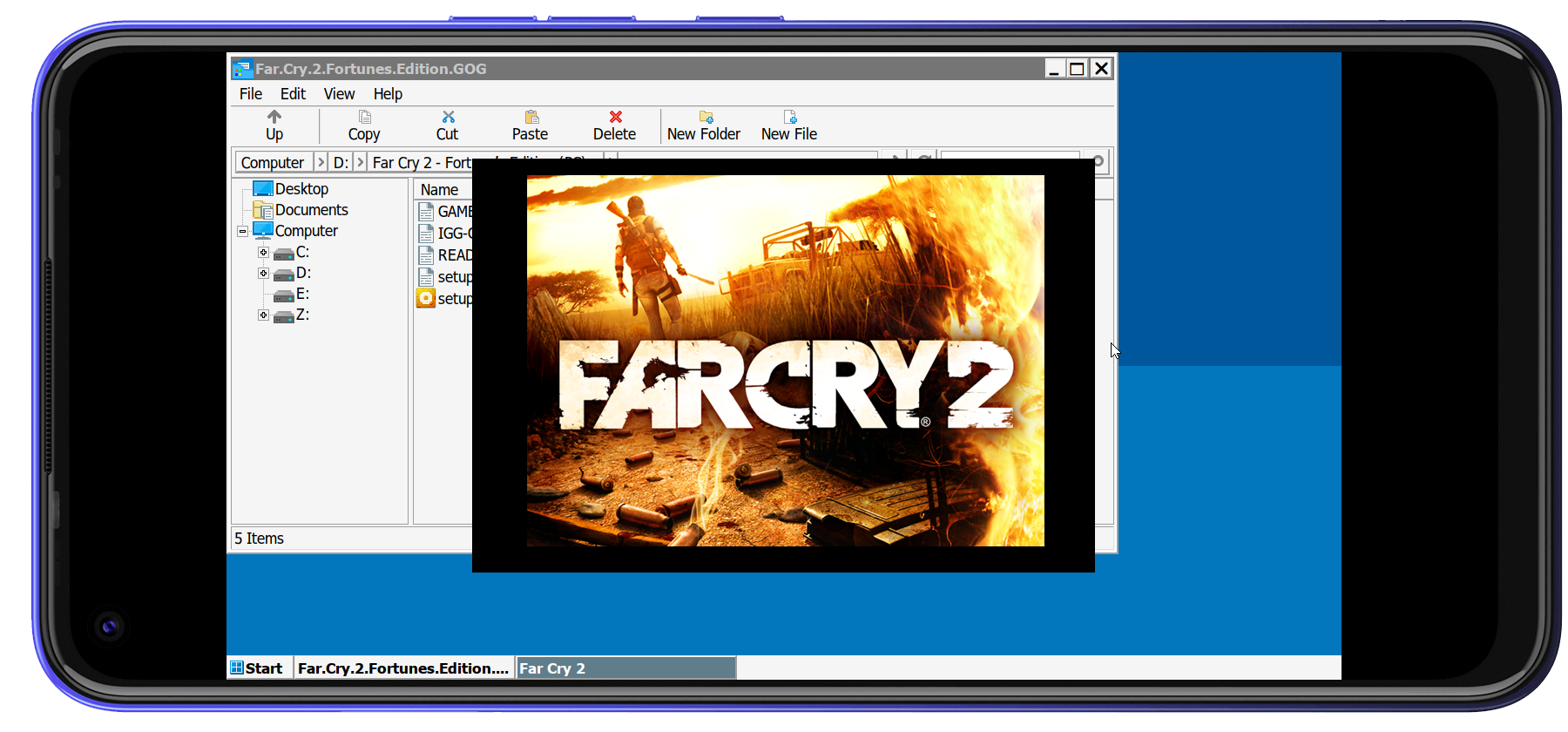
আমি Far Cry 2 রান করে দেখেছি MTK G70 প্রসেসর দিয়ে মোটামুটি রান হয়েছে।

তবে MS office 2007,2010,2013 কোনোটাই ইন্সটল করতে পারিনি।

পরিশেষে এটাই বলা যায়, যাদের উদ্দেশ্য গেমিং তারা Winlator ব্যবহার করতে পারেন।

আবার যারা চান টুকটাক পিসি সফটওয়্যার গুলো রান করবেন তাদের জন্যে Exagear Xapk(Techbravo Mod) ভার্সন টাই বেস্ট, কেননা এটাতে আমি Ms office 2007,2010, Typing master pro, Mkvtoolnix সহ আরো সফটওয়্যার রান করে দেখেছি।


সম্পূর্ণ ব্লগটি পড়ার জন্যে ধন্যবাদ
যে কোনো মতামত জানান কমেন্টের মাধ্যমে

এরকম বেসিক ব্লগ আরো পড়তে চাইলে কমেন্ট করে জানান

If you have any question, ,
knock me

📒 Facebook

The post Winlator কি Exagear এর আপডেট ভার্সন? appeared first on Trickbd.com.


Google এর GenAi ব্যবহার করে ফ্রীতে যেকোনো অ্যাপ তৈরি করুন সহজেই! [No Limit]

Google এর GenAi ব্যবহার করে ফ্রীতে যেকোনো অ্যাপ তৈরি করুন সহজেই! [No Limit]

WELLCOME BACK

H

ello guys. How are you all? I hope you are all well. I came again with a post. Let’s go..

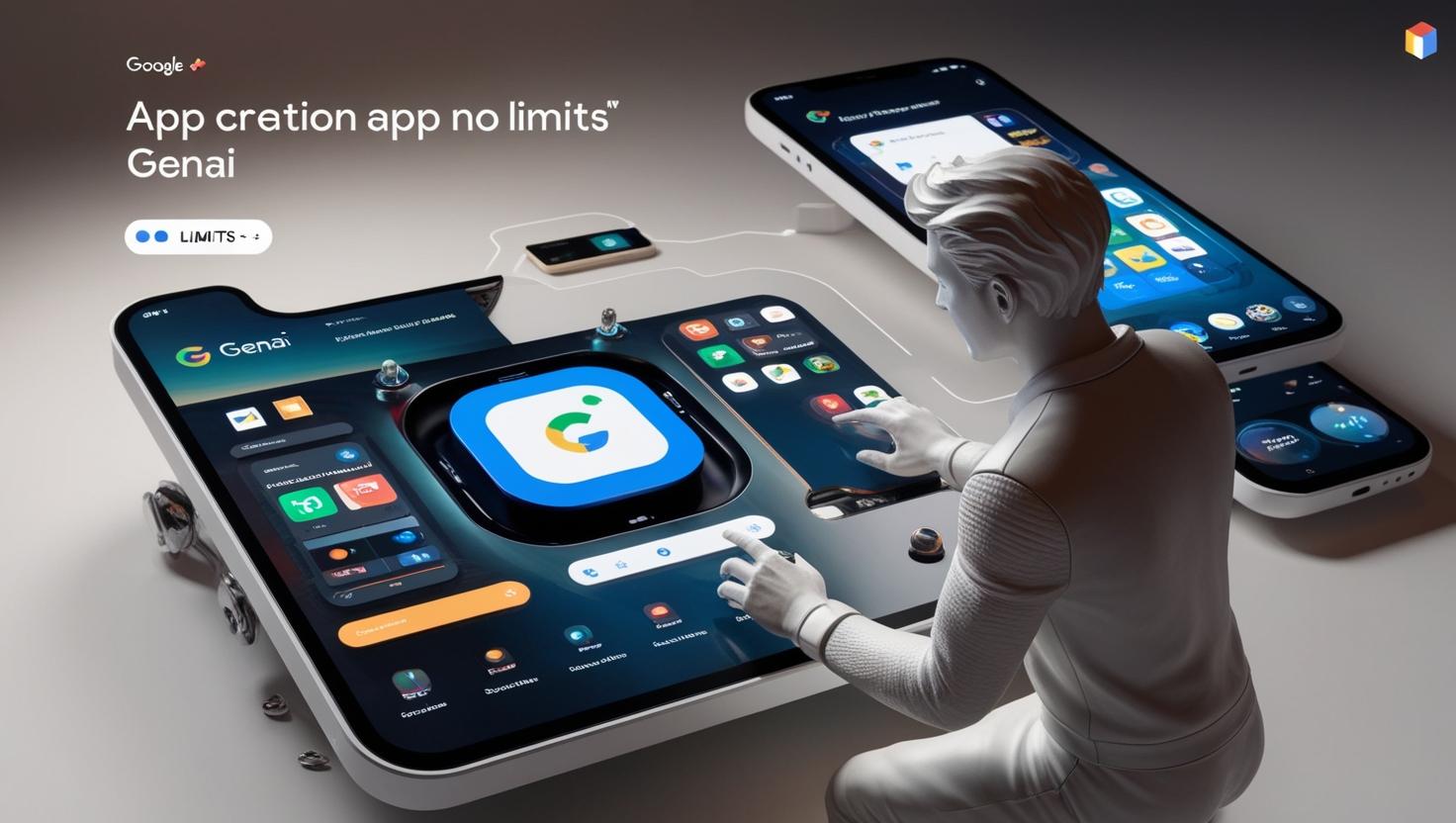
তো আবার নিয়ে আসলাম একটি নতুন Ai নিয়ে। যেটি Google এর Firebase Studio তে আছে, এর আগে এটি ছিলো না এটি নতুন যুক্ত করা হয়েছে। তাই আগামীতে নতুন নতুন Features আসতে পারে।

এই GenAi টি একদম ফ্রী, মানে কোনো prompt লিমিট নেই। যেহেতু নতুন তাই ফ্রী তবে আগামিতে আপডেট আনতে পারে।

সুবিধাঃ

এখানে বেশ কিছু সুবিধা রয়েছে। বিশেষ করে এটিতে prompt এর কোনো লিমিট নেই। আর কোড রান করাও ও স্পিড বেশি।

কোড রান হলো অটো যদি কোডে সমস্যা থাকে তাহলে সেটি ঠিক করে।

কোড রান শেষ হলেই সাথে সাথে হালকা লোডিং এর সাথে Preview দেখতে পাবেন, এবং preview এর জন্য subdomain ও পাবেন।

কোড গুলো সেখান থেকেই এডিট, কপি করতে পারবেন।

Github এর রেপোটারি Import করতে পারবেন এবং আপলোড ও করতে পারবেন।

ডাটাবেইজ তো Firebase নিজেই শুধু যোগ করতে বলবেন।

আরো অনেক কিছু আছে যা উদাহরণ এ বলে দিবে।

অসুবিধাঃ

এখানে অ্যাপ টি তৈরির করার পর ওয়েবসাইট এ পাবলিশ করে billing account যুক্ত করতে হয়।

এটি নতুন Ai তাই ডিজাইন একটু সমস্যা মানে Advance না তবে আপনি যদি বলতে পারেন তাহলে অবশ্যই সুন্দর হবে।

কিভাবে অ্যাপ তৈরি করবেন?

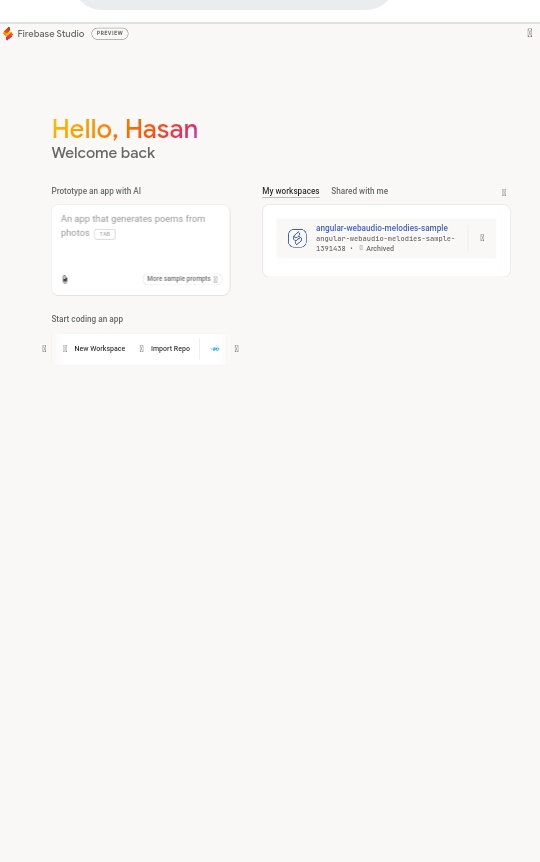
এই লিংক এ যান।

এখান থেকে আপনি prompt দিয়ে অ্যাপ তৈরি করতে পারবেন। তো আমি একটি উদাহরণ দিয়ে দেখাচ্ছি।

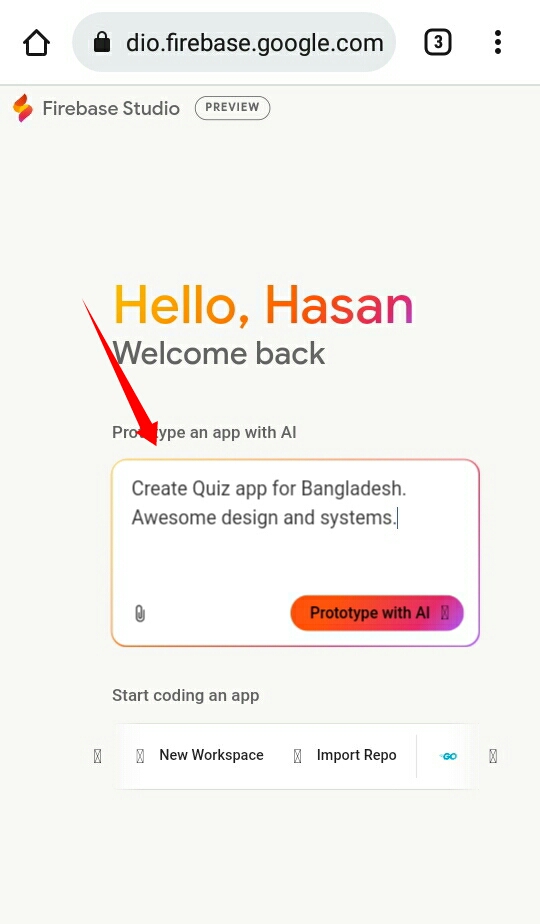
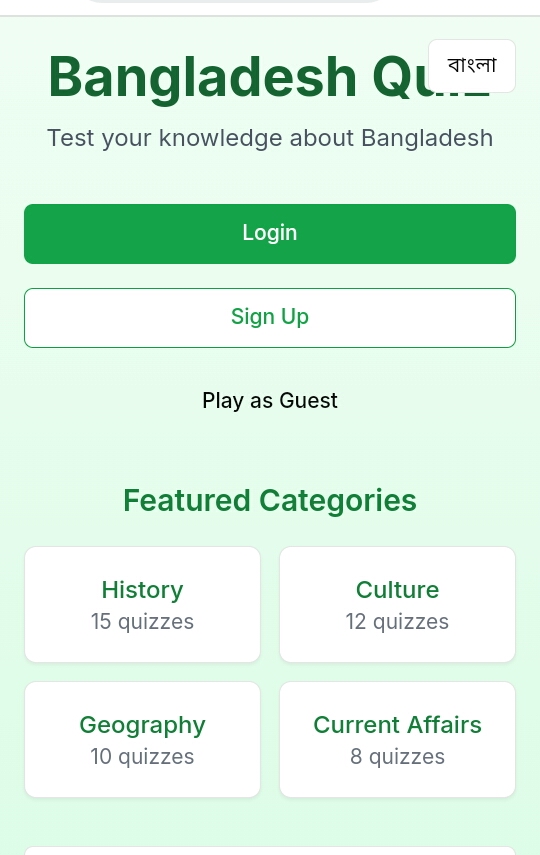
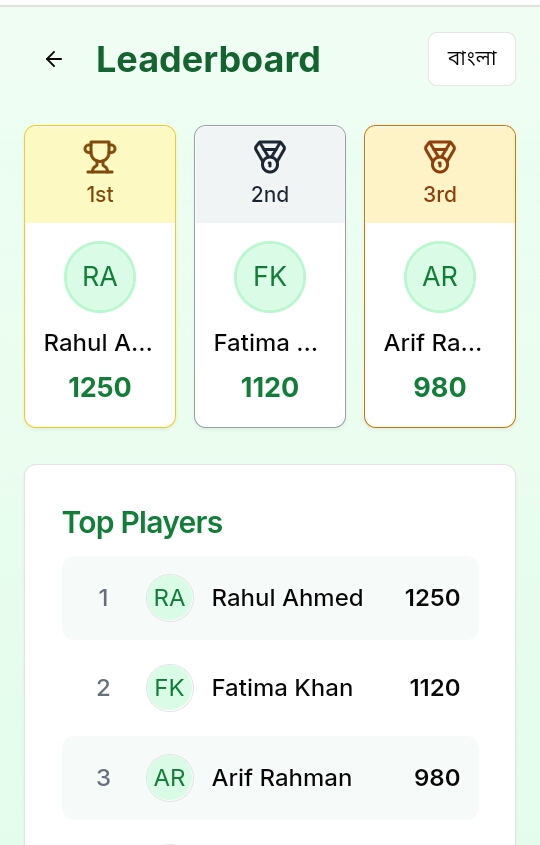
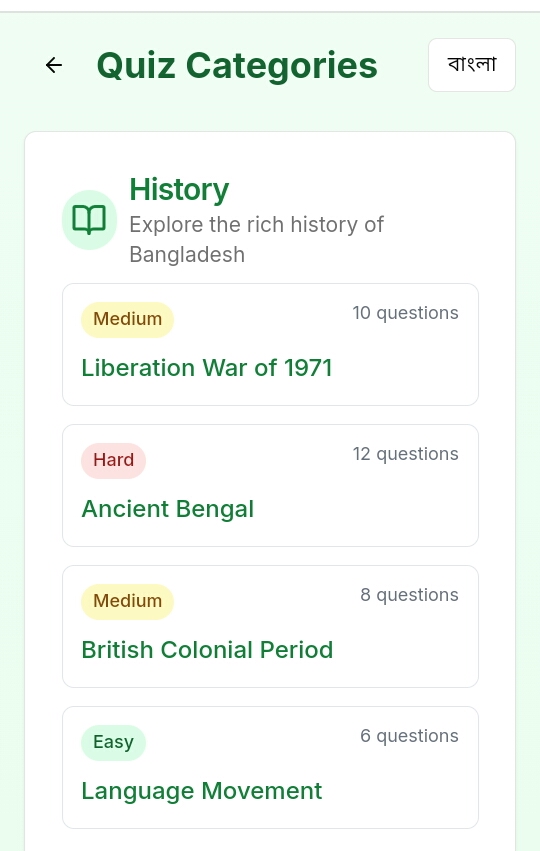
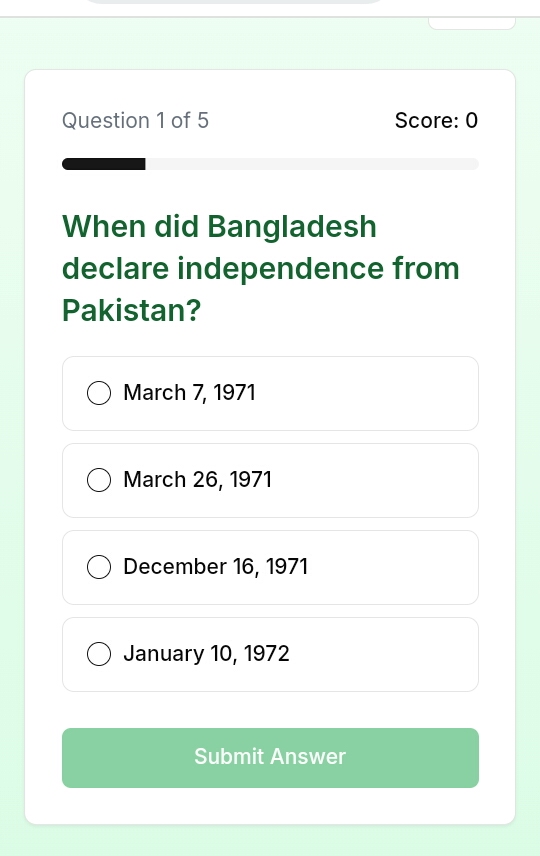
তো আমি একটি Quiz অ্যাপ তৈরি করবো।যেকোনো ভাষায় বলতে পারেন।

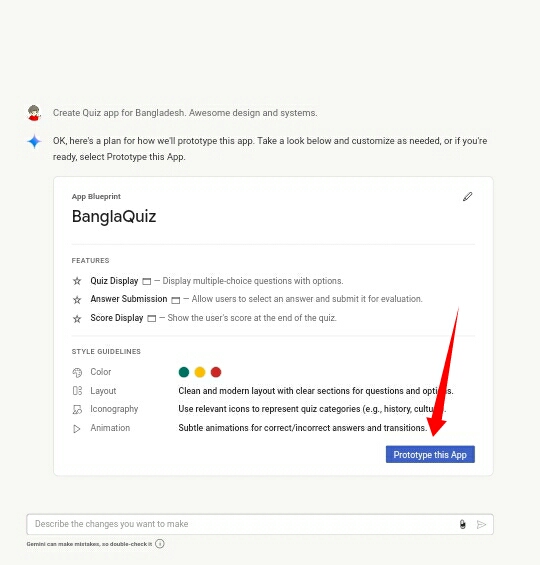
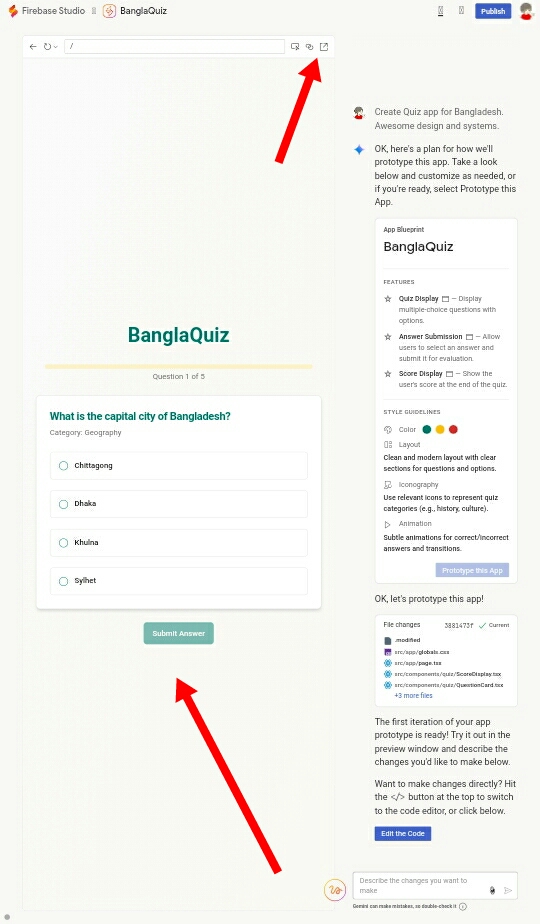
শুধু এটি Simple prompt দিলাম, এখন দেখুন কেমন অ্যাপ তৈরি করবে তা জন্য দেখাবে, চাইলে এডটি করতে পারবেন।

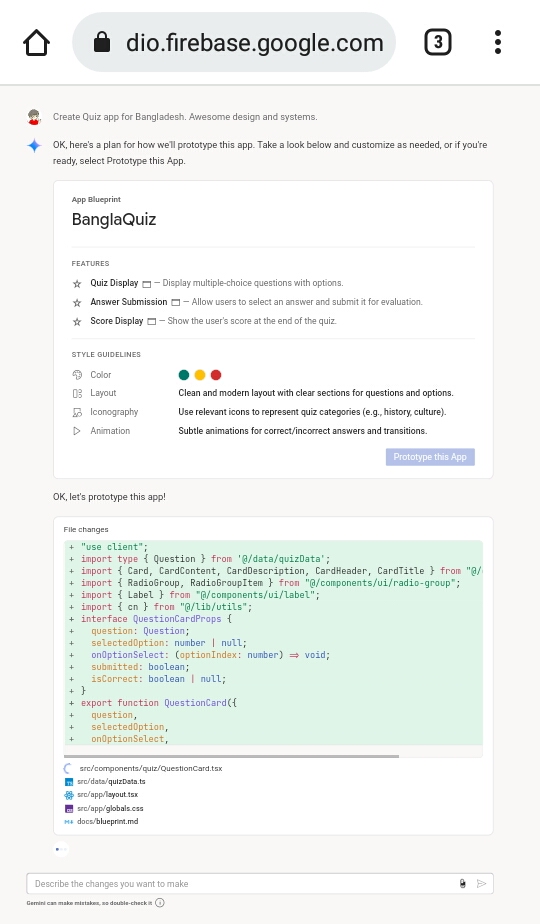
এটি সেন্ড করলে কোডগুলো জেনারেট করতে থাকবে।কিছুটা অপেক্ষা করুন।


এই দেখুন Preview সাথে সাথে। আর ওয়েবসাইট preview চাইলে ওই উপরের ওই খানে ক্লিক করুন।

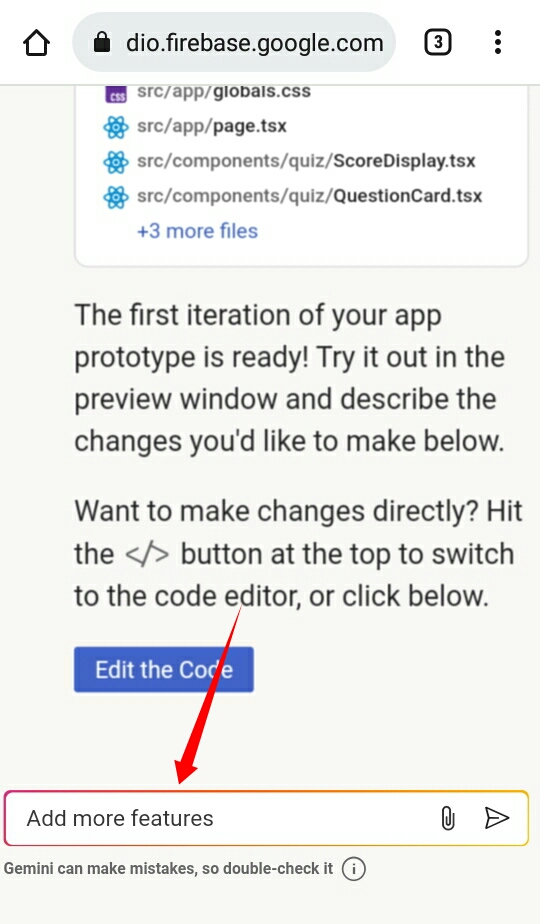
আরো যুক্ত করতে চাইলে এখানে যা আপডেট করডে চান লিখুন।


THE END

S

o friends, that’s it for today. See you in another post. If you like the post then like and comment. Stay tuned to Trickbd.com for any updates.

The post Google এর GenAi ব্যবহার করে ফ্রীতে যেকোনো অ্যাপ তৈরি করুন সহজেই! [No Limit] appeared first on Trickbd.com.


Saturday, April 26, 2025

কিভাবে ফ্রীতে Ai ব্যবহার করে v0.dev থেকে ১ মিনিটেই যেকোনো অ্যাপ/ওয়েবসাইট তৈরি করবেন?

কিভাবে ফ্রীতে Ai ব্যবহার করে v0.dev থেকে ১ মিনিটেই যেকোনো অ্যাপ/ওয়েবসাইট তৈরি করবেন?

WELLCOME BACK

H

ello guys. How are you all? I hope you are all well. I came again with a post. Let’s go..

এর আগের পোস্টে এটি সম্পর্কে বলছিলাম কিন্তু এটি কিভাবে ব্যবহার করবেন তা এখানে বলছি, অনেকেই ঠিক মতো অ্যাপ ও ওয়েবসাইট তৈরি করতে পারবে না তাই এই পোস্ট করা যাতে একদম সম্পূর্ণ বুঝতে পারে। তো চলুন শুরু করা যাকঃ

v0.dev কি?

v0.dev হলো একটি AI-চালিত টুল যা React কম্পোনেন্ট দ্রুত তৈরি করতে সাহায্য করে। এটি শর্ট প্রম্পট (text description) ব্যবহার করে ইউজার ইন্টারফেস (UI) ডিজাইন জেনারেট করে। এটি Next.js, Tailwind CSS, এবং Shadcn UI-এর মতো মডার্ন টেকনোলজির সাথে ইন্টিগ্রেট করা যায়।

লিমিটেশনঃ

যেহুতু আপনি ফ্রী Subscription ব্যবহার করবেন তাই প্রতিদিন ১০ টি করেই prompt দিতে পারবেন।

কিভাবে v0.dev ব্যবহার করে অ্যাপ/ওয়েবসাইট তৈরি করবেন?

আমি আপনাদের একটি quiz অ্যাপ তৈরির উদাহরণ দিয়ে দেখাচ্ছি তাহলে সব বুঝতে পারবেন।

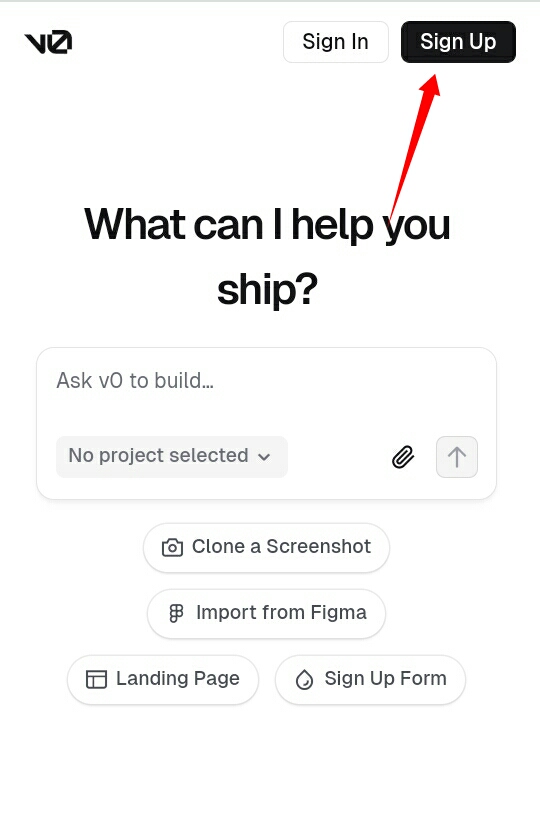
প্রথমে v0.dev এ যান। এখন Signup করুন। পোস্ট অনেক বড় হবে তাই Sign up দেখাচ্ছি না এমনিতেও এটি সবাই পারে তবে এটি যেহেতু vercel.com এর সাথে তাই আপনাকে vercle থেকে sign up করতে হবে।

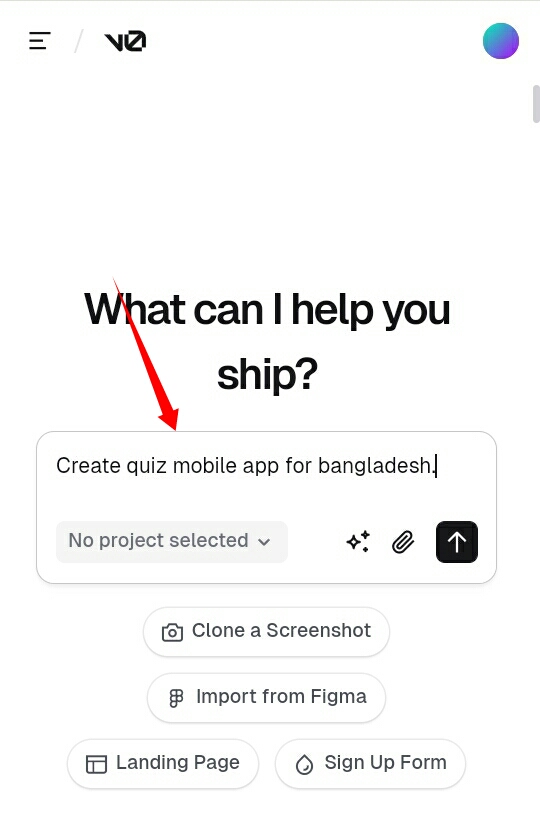
অ্যাকাউন্ট তৈরি হলে দেখুন, আমি এটি prompt লিখলাম। আপমি বাংলা তেও লিখতে পারেন এটি সব ভাষা বুঝতে পারে।

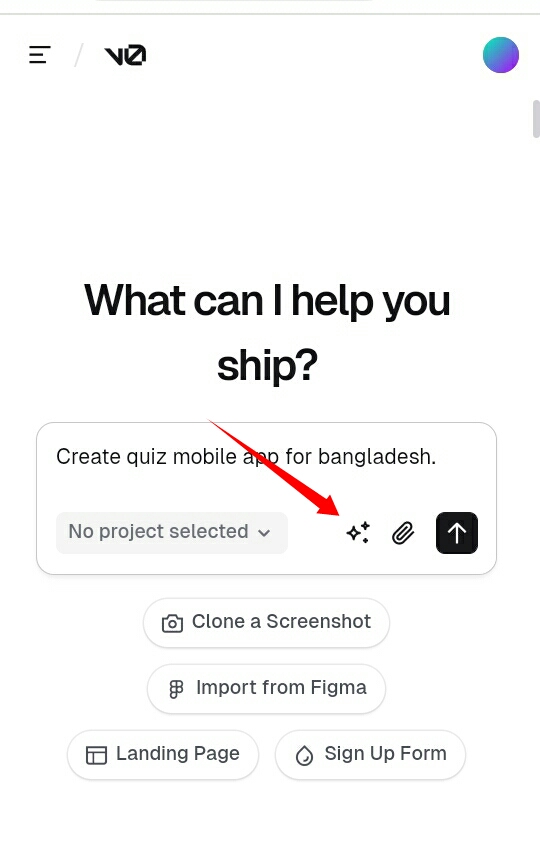
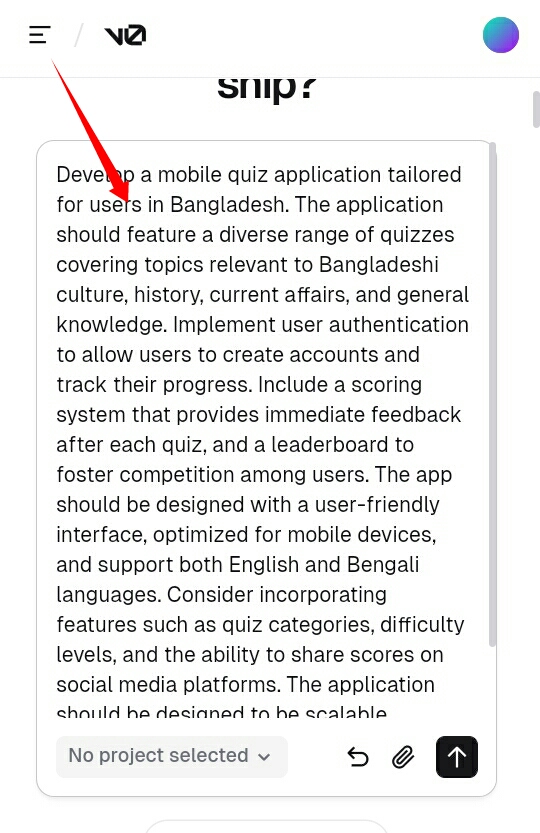
আপনি চাইলে আপনার prompt টি Ai দিয়ে আরো উন্নত করতে পারেন।যেমন দেখুনঃ

এই যে দেখুন কত গুলো লেখা জেনারেট করে দিয়েছে।

এটি Send করলে তারপর কোড জেনারেট করতে থাকবে ১-২ মিনিট অপেক্ষা করুন।

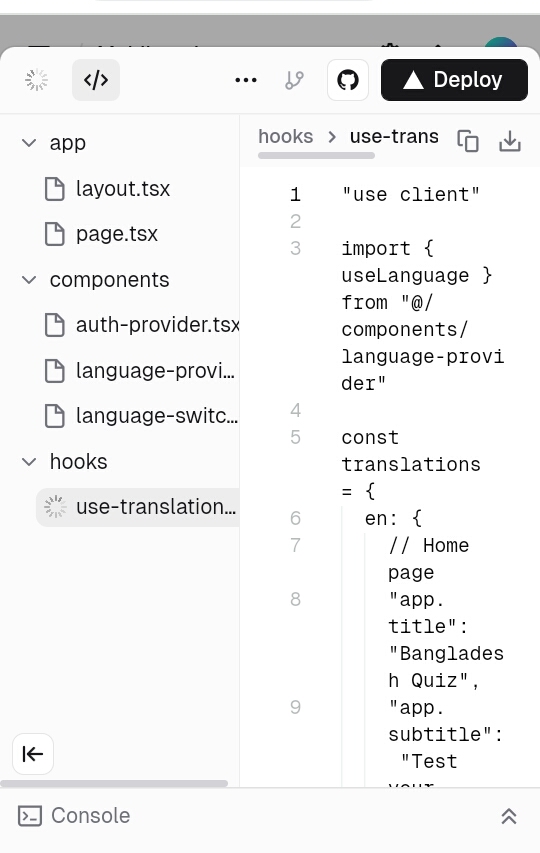
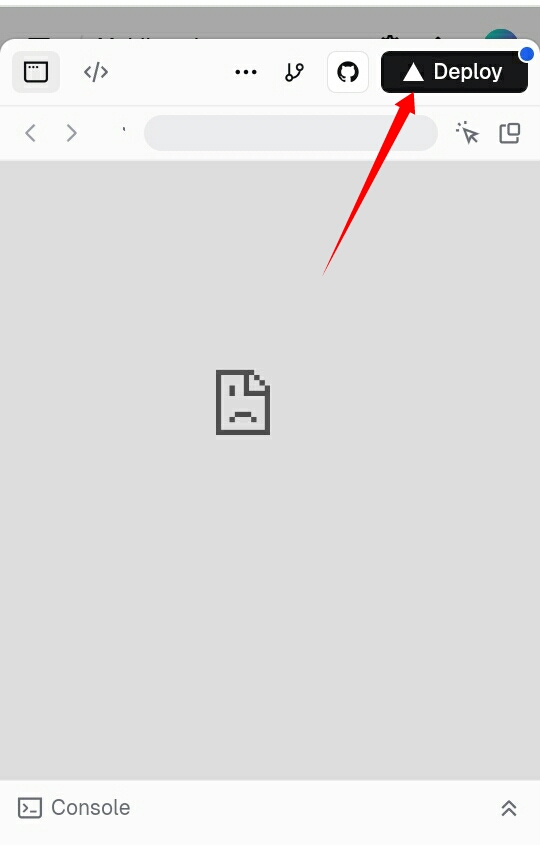
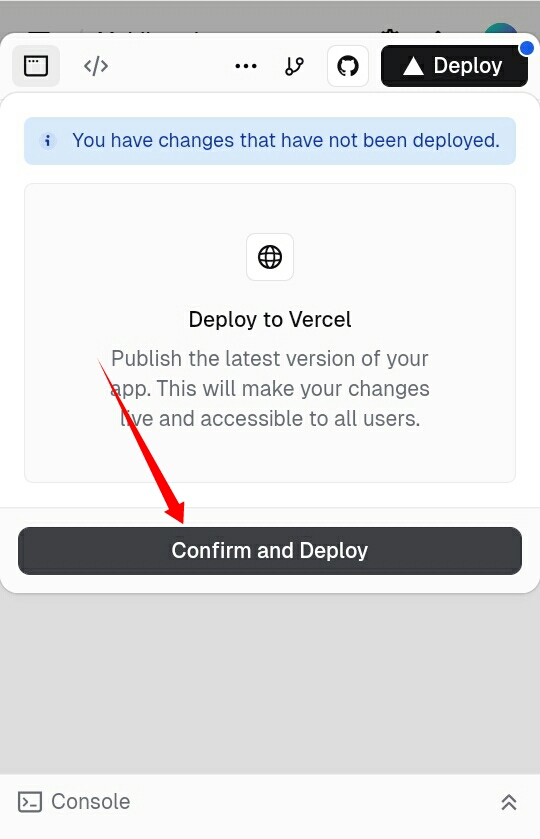
কোড জেনারেট শেষ হলে preview এ নিয়ে আসবে, সাথে সাথে preview দেখাতে একটু লেট হবে তাই আগে Deploy করে নিন vercel এর সাথে।

এখন এখানে ক্লিক করুন:

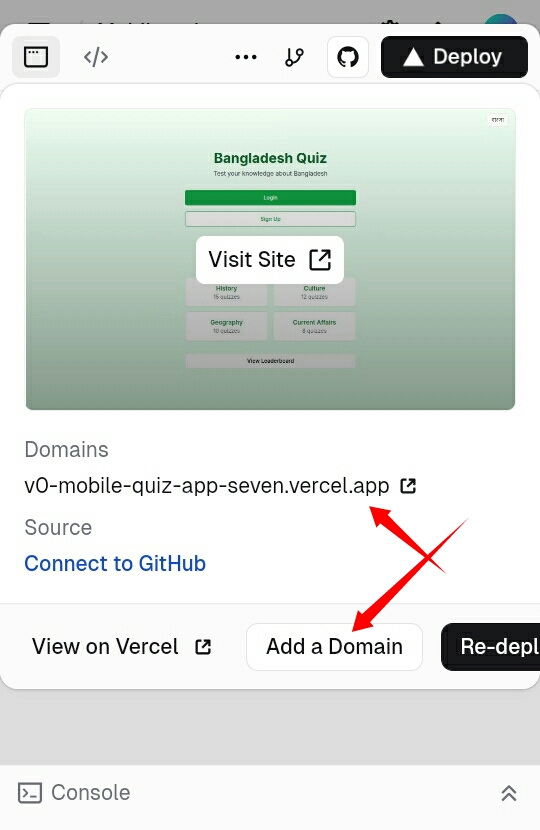
Deploy হতে থাকবে তারপর হয়ে গেলে Deploy এ আবার ক্লিক করলে এমন আসবে, Deployed হয়ে গেছে এখানে চাইলে আপনি আপনার Domain যুক্ত করতে পারবেন (কিভাবে করবেন তা পরে পোস্ট এ দেখাবো), আপনাকে একটি Subdomain দিয়ে দিবে।

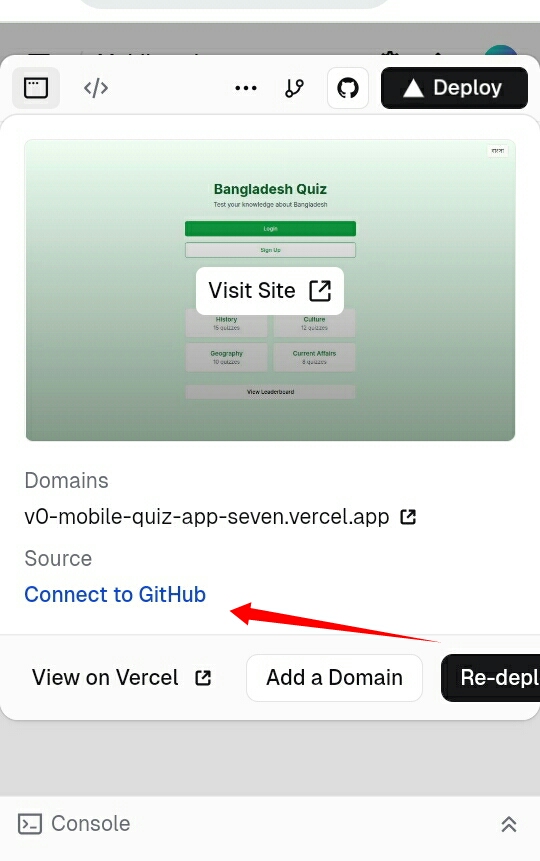
আপনি চাইলে Github এ কানেক্টে করে সব কোড কপি করতে পারবেন এবং এডিট ও করতে পারবেন।

Preview

তো এখন দেখুন যে এই একটি prompt এ কেমন অ্যাপ তৈরি করে দিয়েছে।

আপনাদের লিংক ও দিচ্ছি দেখুনঃ


আরো এডিট করতে চাইলেঃ

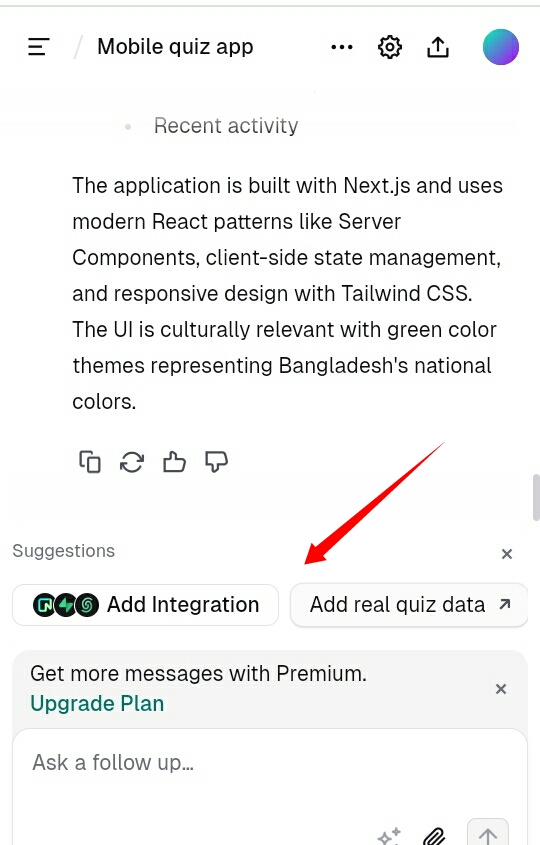
আবার ও সেই Project এ এসে এখানে যা বলবেন সব যুক্ত করবে, মজার কথা হলো এটি আপনাকে Suggested করবে যে কি কি যুক্ত করা প্রয়োজন।

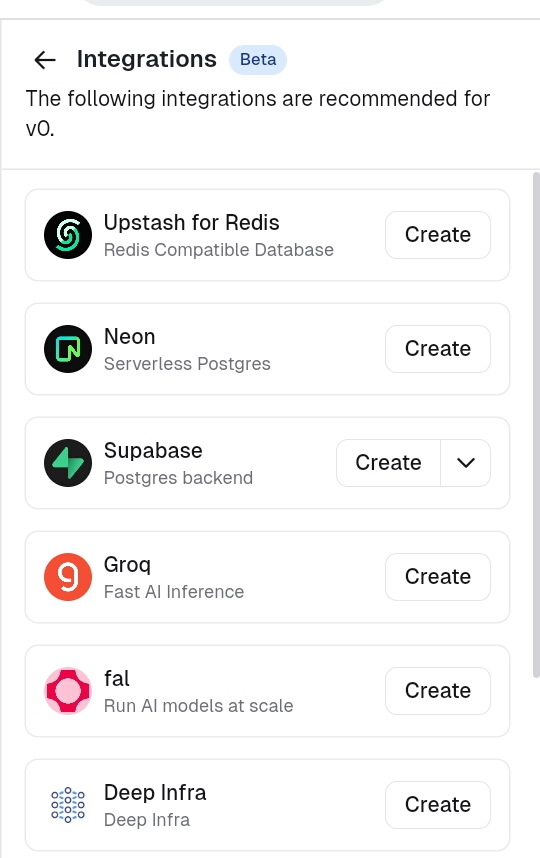
এই যে দেখুন, এগুলোও যুক্ত করতে পারবেন যার মাধ্যমে একদম Real time অ্যাপ থেরি করতে পারবেন।

শেষ কথাঃ

যদি কোনো সমস্যা হয় তাহলে কমেন্ট এ বলুন আর পরের পোস্টে কিভাবে এটি Github এ কানেক্টে করবেন এবং আপনার নিজের ডোমেইন যুক্ত করবেন সব বলবো।

THE END

S

o friends, that’s it for today. See you in another post. If you like the post then like and comment. Stay tuned to Trickbd.com for any updates.

The post কিভাবে ফ্রীতে Ai ব্যবহার করে v0.dev থেকে ১ মিনিটেই যেকোনো অ্যাপ/ওয়েবসাইট তৈরি করবেন? appeared first on Trickbd.com.


ফ্রিতে অ্যাপ/ওয়েবসাইট তৈরির জন্য ৩ টি বেস্ট Ai [No coding]

ফ্রিতে অ্যাপ/ওয়েবসাইট তৈরির জন্য ৩ টি বেস্ট Ai [No coding]

WELLCOME BACK

H

ello guys. How are you all? I hope you are all well. I came again with a post. Let’s go..

বর্তমান সময় এ Ai ব্যবহার বাড়তেই আছে, যেকোনো Platform এ Ai থাকছেই। যাইহোক যেটা নিয়ে কথা বলছি, আমি আজকে তিনটি বেস্ট Ai দিবো যেগুলো দিয়ে আপনি ফ্রীতে যেমন ইচ্ছে তেমন অ্যাপ/ওয়েবসাইট তৈরি করবে পারবেন। ডিজাইন এর দিক দিয়েও এগুলো বেস্ট। যেমন বলবেন তার থেকেও ভালো করে দিবে।

তিনটি Ai হলোঃ

Lovable.dev


বর্তমান সবথেকে বেস্ট Ai এটি অ্যাপ ও ওয়েবসাইট তৈরির জন্য। কেনোনা এটি এমন Ai যে আপনি যদি টকটি সাধারণ prompt দেন তাহলে সেই prompt এর যা যা সিস্টেম থাকে, পেজ থাকে সাথে অসাধারণ ডিজাইন সহ করে দিবে। এক কথায় এটি অসাধারণ। এটি একদম ফ্রী না, প্রতিদিনের একটা লিমিট থাকে যা আমার আগের একটি পোস্টে বলা আছে তাহলে বিস্তারিত পাবেন।

লিমিটঃ

প্রতি দিন আপনি ৫ থেকে ১০ টি prompt দিতে পারবেন। একেক দিন একেক দেয় কিন্তু ১০ টিই সর্বোচ্চ।

ডাটাবেইজঃ

ডাটাবেইজ এর জন্য থাকছে Supabase কানেক্টে সিস্টেম। Supabase কেমন তা নিশ্চিই যেনে থাকবেন।

ডোমেইনঃ

এখানে আপনাকে অ্যাপ/ওয়েবসাইট Preview এর জন্য তাদের Subdomain ই ব্যবহার করতে হবে যদি নিজের ডোমেইন যুক্ত করে চান তাহলে paid করতে হবে।

শেষ কথাঃ

আমার মতে এটি সবথেকে ভালো Ai। যে কোড এ যদি কোনো সমস্যা থাকে তাহলে সেটি ডিটেক্ট করে সেটি Fix করা অপশন দিয়ে থাকে।
আপনি চাইলে এই Project Github এ যুক্ত করে কোড গুলো এডিট/কপি করতে পারেন।

শুধু লিঃক দিয়ে যেকোনো ওয়েবসাইট এর কোলন করতে পারবেন।ছবি দিয়েও করতে পারবেন।

v0.dev Vercel


এই Ai টি দ্বিতীয় তে রাখার এটির ডিজাইন সব ঠিক মতো দেয় কিন্তু আগের টার মতো না। কিন্তু এটিও কোমো অংশ কম না। এটিতে টমন এমন সিস্টেম আছে যেগুলো আগের টাতে কিন্তু নেই।

সব থেকে বড় কথা এটি কোড লিখলে কোনো ভুল করে না। এটি মোবাইল এবং ডেস্কটপ ফ্রেন্ডলি।

লিমিটেশনঃ

য়েহেতু ফ্রী তাই লিমিটেশন থাকবেই এটি সাভাবিক। তবে এটিতে প্রতিদিন ১০ টি করে prompt এর লিমিট আছে।

ডাটাবেইজঃ

এখানে ডাটাবেইজ, Backend সার্ভার সহ সিস্টেম আছে। Supabase এবং আরো অনেক যা ব্যবহার করলে বুঝতে পারবেন।

ডোমেইনঃ

এখানে Subdomain তো দেয় সাথে আপনি ফ্রীতে আপনার Domain এরিতে যুক্ত করতে পারবেন। এটির সাথে vercel যুক্ত আছে তাই।

শেষ কথাঃ

এটির কোড টাইপ স্পিড ও অনেক ভালো। আপনি চাইলে এই Project Github এ যুক্ত করে কোড গুলো এডিট/কপি করতে পারেন।

Replit Ai


এটিও অনেক উন্নত Ai। এটিতেও অনেক সহজেই অ্যাপ/ওয়েবসাইট তৈরি করতে পারবেন আপনি, আর ডিজাইন এর দিক দিয়েও অনেক সুন্দর ডিজাইন করবে।

লিমিটেশনঃ

এটিতে লিমিটেশন আগের গুলোর মতো নেই, এখানে নতুন Account এ 5$ করে দেয় যেগিলো দিয়ে আপনি অ্যাপ/ওয়েবসাইট তৈরির জন্য prompt দিতে পারবেন।

ডাটাবেইজঃ

এটিতে নিজের ডাটাবেইজ সিস্টেম করা নেই তাই আপনাকেই ডাটাবেইজ যুক্ত করতে হবে। ডাটাবেইজ হিসাবে Firebase / Supabase যুক্ত করতে পারেন।

ডোমেইনঃ

এটিও Subdomain দিয়ে থাকে তবে নুজের ডোমেইন যুক্ত করতে আরো paud subscription নিতে হবে।

শেষ কথাঃ

এটি মোবাইল এবং Desktop এ অনেক ভালো ভাবে ফিট করবে। যাতে আপনার কোনো সমস্যা না হয় Browsing করতে। এটির ভালো দিক হলো এটি অনেক সুন্দর করে যা যা বলবেন তাই করে দিবে।


তো, আমি যেহেতু অ্যাপ/ওয়েবসাইট তৈরি নিয়ে পোস্ট করছি তাই ওয়েবসাইট গুলো নিয়ে বিস্তারিত বলা টা গুরুত্বপূর্ণ মনে করে নিয়ে। তাই যেটুকু অ্যাপ/ওয়েবসাইট তৈরির জন্য প্রয়োজন সেটুকু তুলে ধরেছি আপনাদের মাঝে।

THE END

S

o friends, that’s it for today. See you in another post. If you like the post then like and comment. Stay tuned to Trickbd.com for any updates.

The post ফ্রিতে অ্যাপ/ওয়েবসাইট তৈরির জন্য ৩ টি বেস্ট Ai [No coding] appeared first on Trickbd.com.